Governing Azure Pipelines with Extensible Templates
Modern enterprises rarely run a single delivery workflow. They run dozens—each with its own language stack, runtime, and compliance targets. Without a consistent orchestration model, the platform team spends its life reviewing YAML changes while workload teams reinvent complex rollout mechanics. The solution is to treat pipeline templates like productized APIs: the platform group publishes opinionated building blocks and workload teams extend them via parameters, not copy/paste.
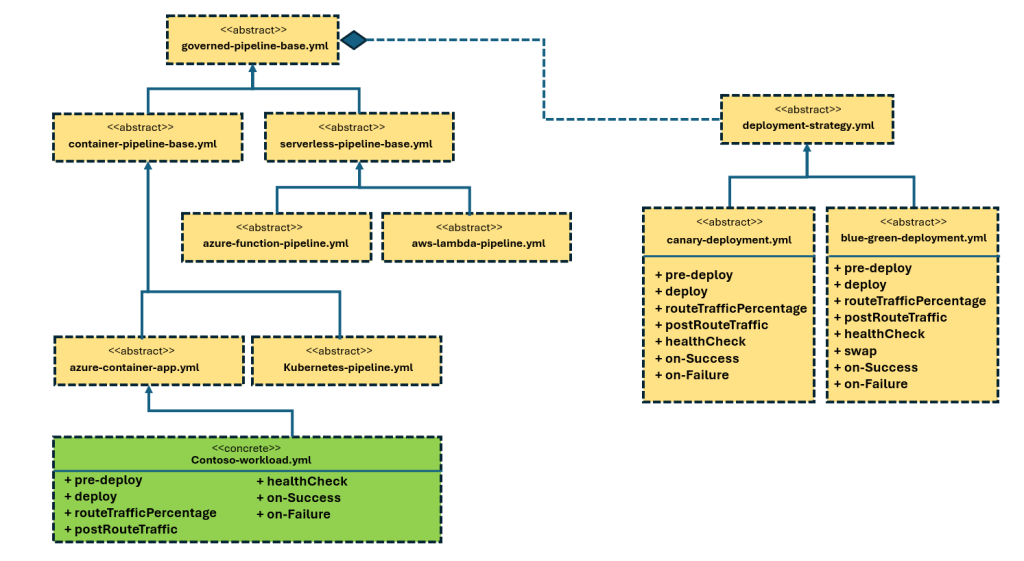
Contract Between Platform and Workload Teams
Keep the platform-owned templates in their own Azure DevOps project or GitHub repo and give it strict branching policies. Workload teams reference that repo as an external resource, but never fork or edit it directly. This clean separation enables the platform group to iterate on governance (security scans, approvals, logging) without chasing every team. Meanwhile, workload repos stay focused on their application logic.
resources:
	repositories:
		- repository: Platform
			type: git
			name: Contoso.Platform.Engineering
			ref: refs/tags/v1

extends:
	template: pipelines/container-pipeline-base.yml@Platform
	parameters:
		productName: Checkout
		deployEnvironmentName: checkout-prod
The snippet above is the only YAML a workload team needs to start. The platform template handles checkout, build orchestration, and the CD stage layout; the workload merely supplies metadata and environment names.
Template Method Design Pattern for Deployments
Think of the base pipeline as an abstract class. It defines the CI/CD skeleton and declares “hooks” (build steps, deployment job template, notification steps). Derived templates—for example, one specialized for containerized workloads—bind the default build steps, artifact management, and deployment strategy selection. Workload teams then provide concrete implementations of those hooks through template parameters. You can even export boolean or enum parameters (Rolling, Canary, BlueGreen) to flip entire orchestration graphs without exposing any control flow to the consumer.
parameters:
	- name: containerDeploymentStrategy
		type: string
		default: Rolling
		values: [Rolling, Canary, BlueGreen]

extends:
	template: pipelines/governed-base.yml@Platform
	parameters:
		deploymentJobTemplate: ${{
				parameters.containerDeploymentStrategy == 'BlueGreen'
					? 'strategies/blue-green.yml'
					: parameters.containerDeploymentStrategy == 'Canary'
						? 'strategies/canary.yml'
						: 'strategies/rolling.yml' }}
Because the platform template selects a deployment strategy internally, workload teams gain sophisticated releases “for free” while the central team keeps ownership of the complex orchestration code.
Strategy Plug-Ins: Rolling, Blue/Green, Canary
Each deployment strategy lives in its own template with a well-defined contract:
- Rolling – the simplest run-once deployment. Perfect for stateless services or lower environments.
- Blue/Green – provisions a green slot, waits for validation, and can enforce manual or automatic traffic swaps.
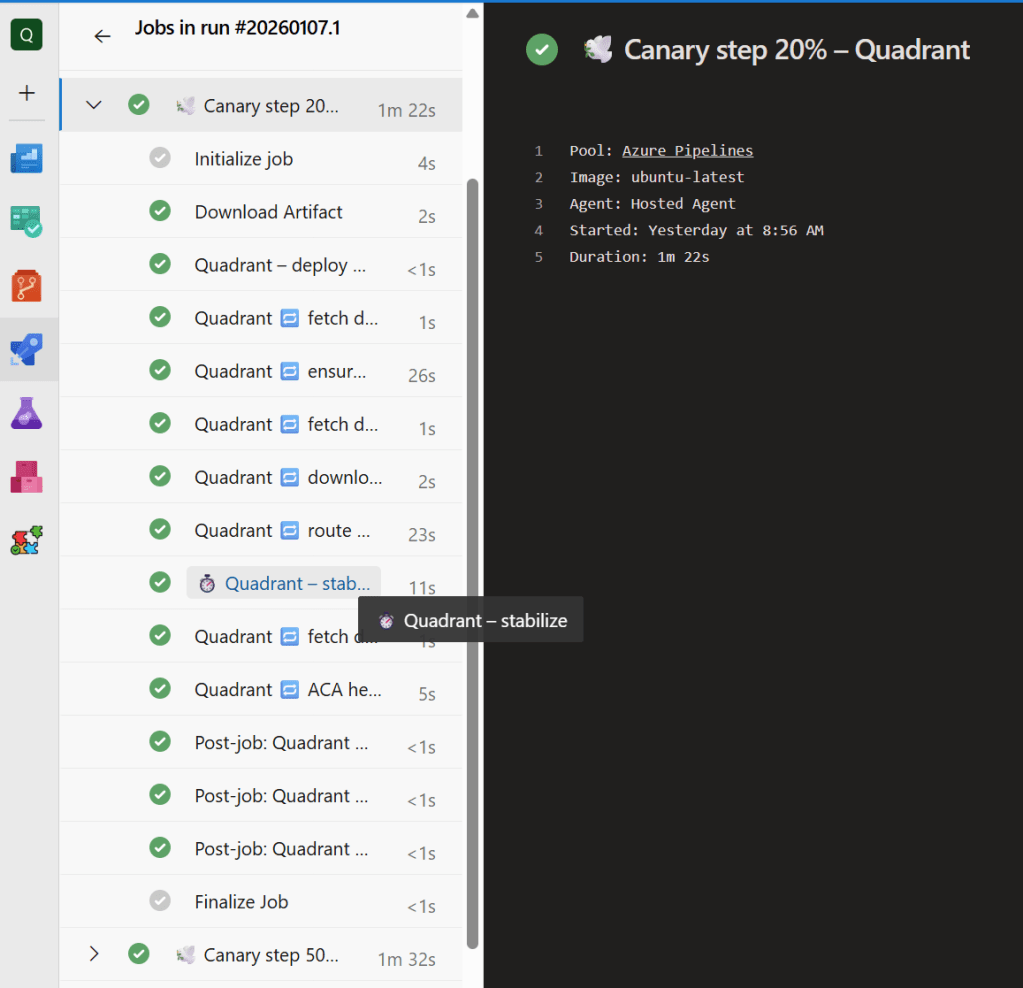
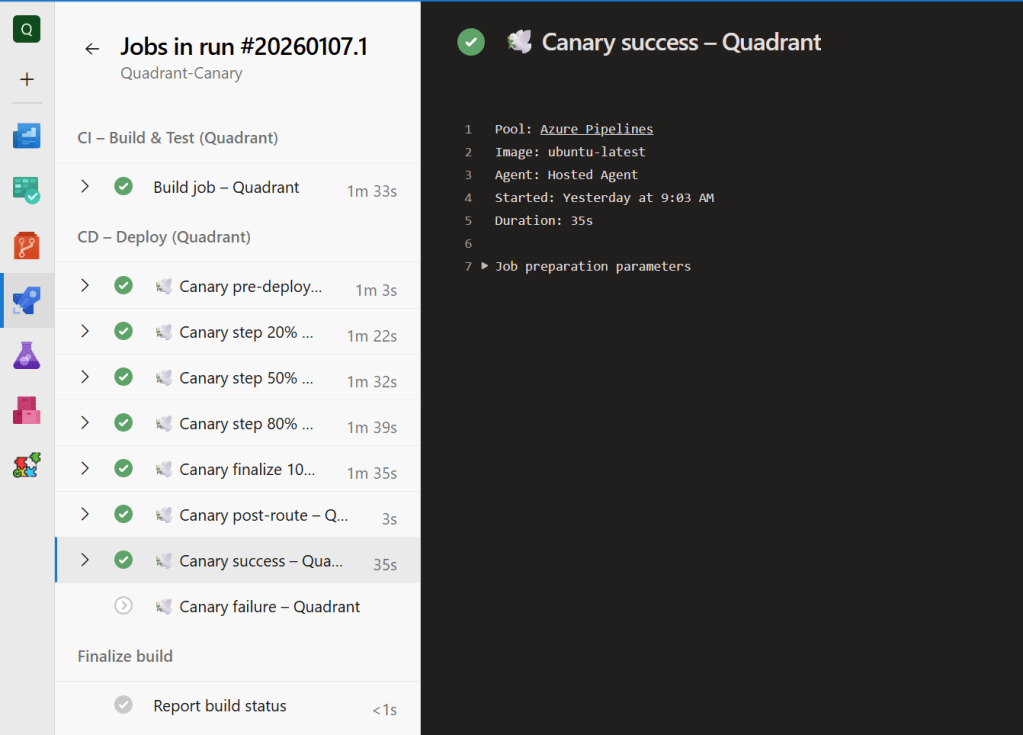
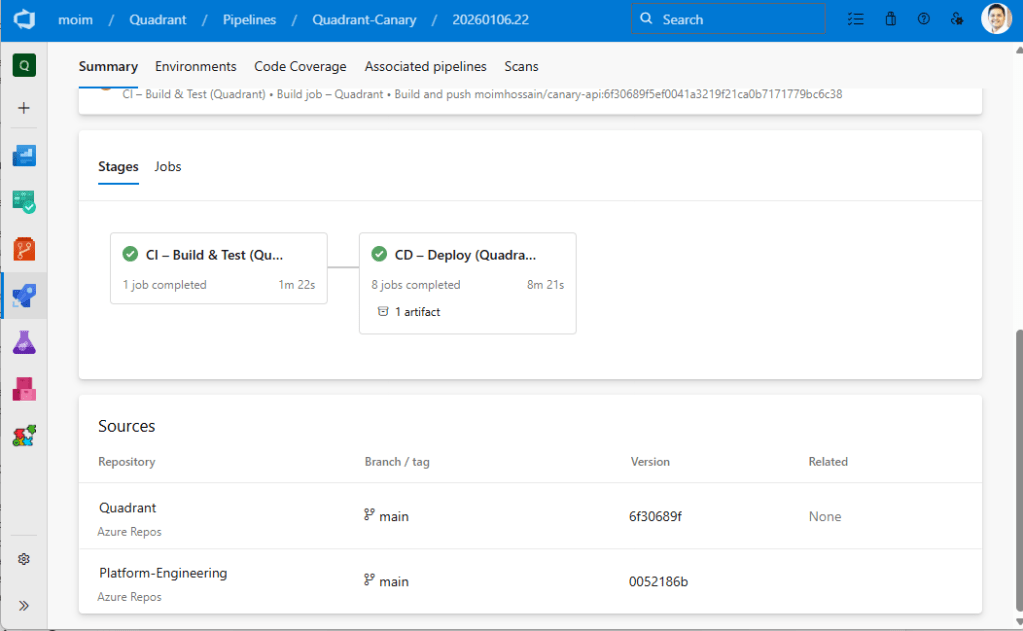
- Canary – supports both native Azure Pipelines canary mode and an orchestrated version that spins up sequential deployments (20%, 50%, 80%, 100%). Workload teams pass in their own
preDeploy,routeTraffic,healthCheck,success, orfailurestep templates without touching orchestration logic.
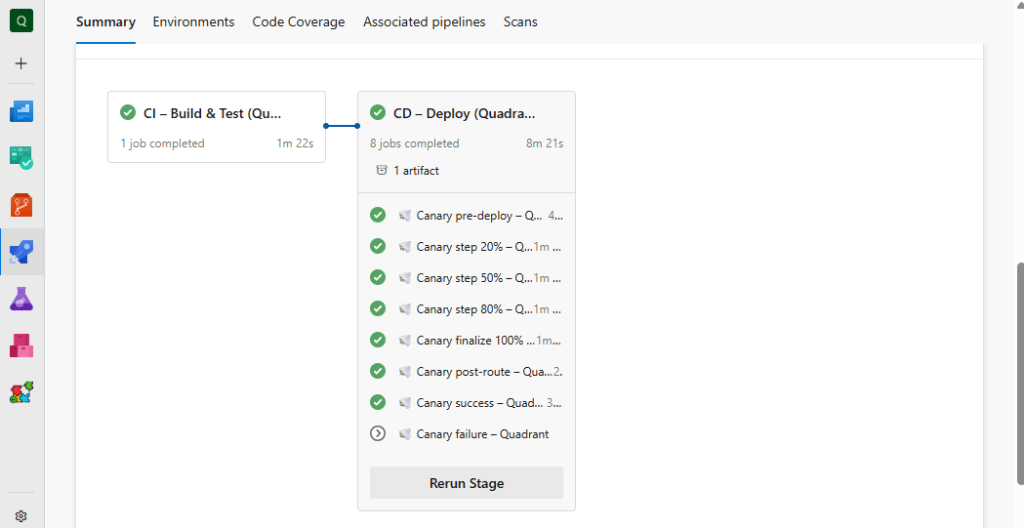
Because the platform owns these strategy templates, it can inject mandatory diagnostics, observability, or guard rails (e.g., hold times, health check scaffolding) once and propagate them everywhere.
Workload Team Experience
From the workload perspective, extending the platform template takes three steps:
- Reference the platform repo and choose the appropriate base template.
- Supply a handful of parameters:
productName,imageName,deployEnvironmentName, and thecontainerDeploymentStrategyoption. - (Optional) Point strategy hooks to workload-specific step templates—perhaps custom Azure CLI scripts for Azure Container Apps or Kubernetes manifests.
This keeps application repositories lean while ensuring every deployment emits the same telemetry, approvals, and rollback semantics. Teams can still differentiate their workloads by replacing a single step template rather than cloning the entire pipeline.
Enforcing “Must Extend” Policies
Azure DevOps and GitHub both let you restrict which pipelines may target a protected environment or service connection. Require that all production environments can only be deployed through pipelines originating from the platform template.
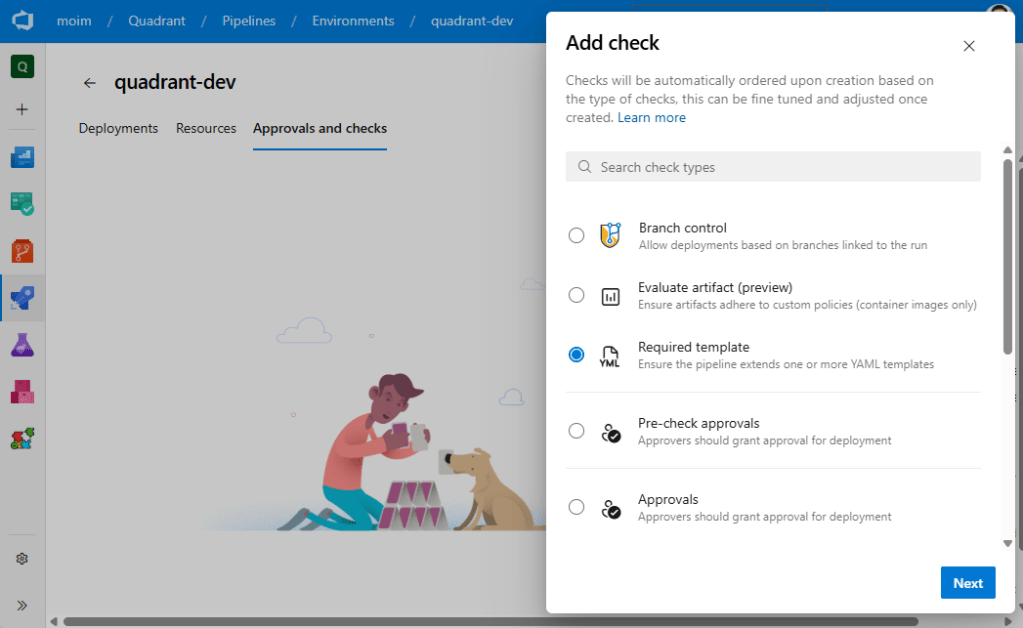
If a workload team attempts to bypass the standard template, the environment simply won’t authorize the run. This turns governance into an automated gate instead of a manual review checklist.
Implementation Tips
- Version platform templates with tags or branches so workload teams can pin to a tested release and upgrade deliberately.
- Document every parameter and provide sample workloads (monolith, container app, functions) demonstrating success and failure hooks.
- Add built-in telemetry: emit diagnostic logs or metrics from each template so incidents can be correlated across workloads.
- Treat strategy templates as plug-ins; when a new rollout strategy (e.g., ring-based) is required, add a new template and expose it via the same enum so workloads adopt it instantly.
- Pair the template repository with automated validation pipelines to lint YAML, run unit tests on any embedded scripts, and enforce code owners.
Business Outcomes
Adopting this architecture delivers three wins:
- Consistency – every workload inherits the same Observability, security scans, and release guardrails.
- Velocity – workload teams focus on workload logic, not pipeline plumbing.
- Governance – platform engineering updates compliance steps once and the entire portfolio benefits without disruptive migrations.
By embracing an extensible template stack, organizations achieve “compliance by construction” while still giving each workload the flexibility it needs to deliver quickly. The combination of separate repositories, template-method orchestration, and strategy plug-ins turns Azure Pipelines into a true platform service rather than a per-team snowflake.
The example source code can be found here: https://github.com/MoimHossain/azure-pipeline-templates-platform-engineering

 Reverse Engineering